
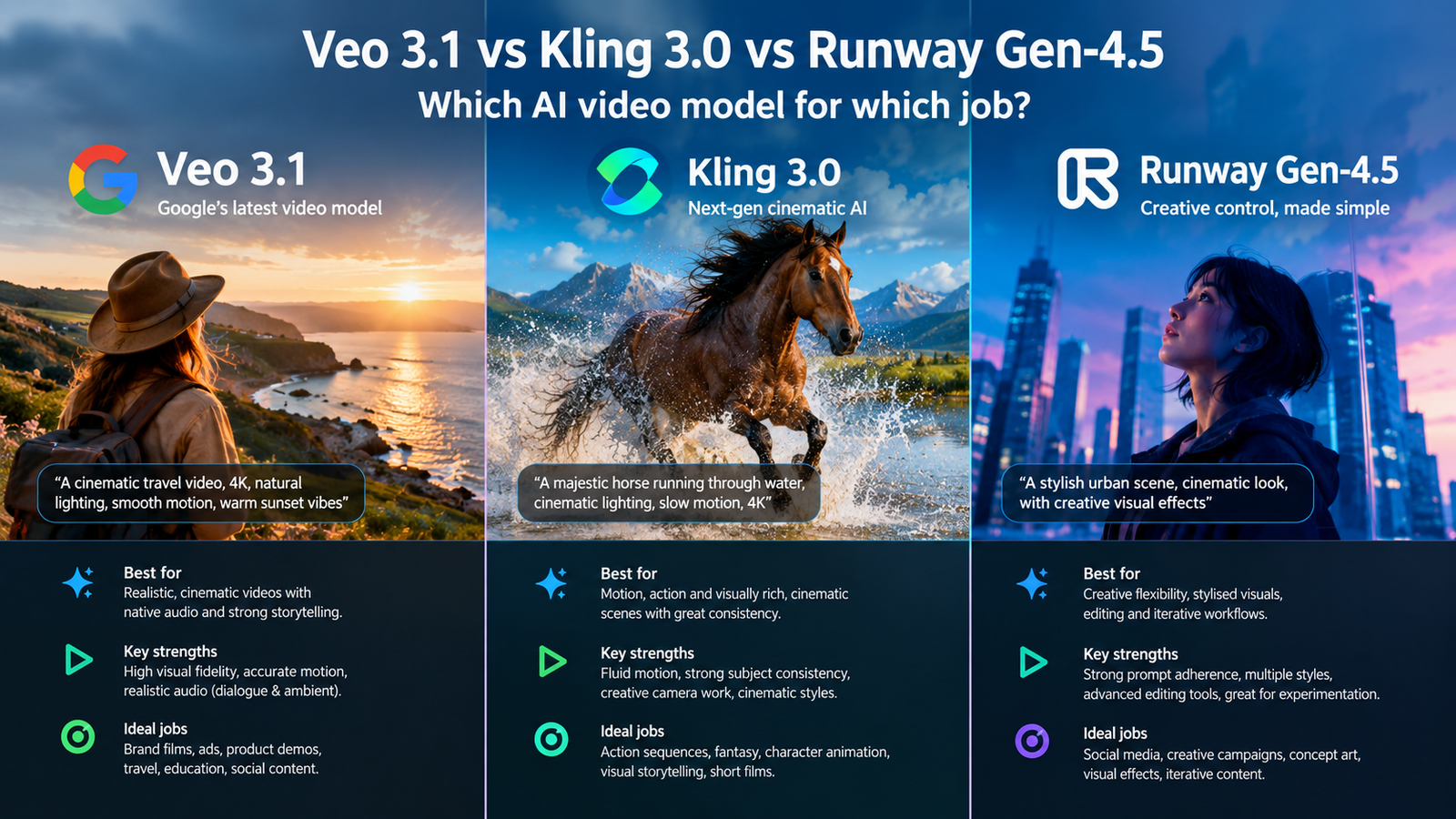
Google Veo takes the top spot for filmmakers and storytellers seeking the most reliable control and consistency for narrative projects. If you are deciding between Google Veo, Kling AI, and Runway, your choice depends on whether you need dedicated storytelling consistency, motion control features, or an all in one editing workspace.
What each one is for
Google Veo functions as a leading video generation model designed to empower filmmakers and storytellers.
Kling AI operates as a next gen artificial intelligence video and image generator.
Runway builds foundational real world intelligence designed to understand, simulate, and act in the world.
Our read: When you look at these three tools, you are staring at very different philosophies of media creation. Google targets the director who cares deeply about narrative continuity and precise scene execution. Kling leans into raw generation power and motion handling. Runway approaches the task as a broad suite for creators who want everything under one roof.
Do not pick a tool based on the marketing hype of its parent company. Look closely at your daily workflow. If you spend hours jumping between editing tools and generation tabs, the workspace design matters more than raw output quality. Match the tool’s core design philosophy to your actual bottleneck.
Higher tiers such as team or enterprise plans exist for these platforms, but they add unnecessary complexity if you are working alone. Stick to individual access levels to keep your monthly overhead predictable while you test out the core generation engines.
- Audit your current video production pipeline to find where you waste the most time.
- Identify whether your primary need is narrative consistency, motion control, or unified workspace editing.
- Select the single platform whose core positioning matches your identified bottleneck.
- Google Veo targets narrative filmmakers and storytellers.
- Kling AI provides next gen generation features.
- Runway focuses on foundational real world simulation.
How they compare on capability
Google Veo delivers greater control, consistency, and creativity than ever before.
Kling AI provides image generation, video generation, motion control, and agent capabilities.
Runway allows you to generate and edit video, images, and audio in one workspace.
Comparing these capabilities requires looking at how you handle post production tasks. Veo prioritizes keeping your output stable across multiple generations, which is vital when you stitch clips together into a longer sequence. Kling brings specific motion control parameters to the table alongside its agent features, giving you direct influence over how subjects move within the frame.
Runway takes the multi modal route by housing video, image, and audio production inside a single workspace. This design cuts down on the friction of exporting assets from one app and importing them into another. If your workflow involves constant audio syncing and multi format asset creation, that integrated environment saves significant friction.
A common mistake is assuming every model handles motion the same way. Test each system with identical prompts to see how it manages camera pans and subject acceleration before committing to a long term subscription plan.
- Write a standard test prompt involving complex subject movement and a steady camera pan.
- Run the prompt through Google Veo to evaluate its baseline consistency and creative control.
- Run the same prompt through Kling AI and Runway to compare their motion handling and workspace integration.
- Veo focuses on control and consistency.
- Kling includes motion control and agent tools.
- Runway combines video, image, and audio capabilities.
Where the first option wins
Google Veo wins when your primary objective is maintaining strict narrative control across your generated scenes.
Google Veo provides greater consistency for filmmakers who need matching visual elements from shot to shot.
Google Veo supports advanced storytelling workflows through its dedicated focus on creator consistency.
Choose Google Veo if your biggest frustration with artificial intelligence video has been character drift or erratic background shifts. When you are cutting together a sequence where a subject must look and act the same way across three different shots, Veo maintains that visual thread far more reliably than its competitors.
Do not use Veo if you are looking for an all in one audio and video suite. It is built strictly for the generation and control side of video creation. Keep your standalone audio editor and timeline software open alongside it to assemble the final cut.
Take advantage of Google AI Plus, Google AI Pro, or Google AI Ultra plans to access Veo depending on your required feature depth and usage volume.
- Define your character and setting parameters clearly in your initial prompt.
- Generate a sequence of three related shots using Google Veo.
- Check the output files for visual drift before moving them into your NLE timeline.
- Wins on narrative consistency across multiple generations.
- Delivers superior control for traditional filmmakers.
- Maintains tight visual parameters for storytelling projects.
Where the second option wins
Kling AI wins when you need specific motion control parameters to guide your video generation process.
Kling AI provides flexible image and video generation alongside dedicated agent tools.
Kling AI delivers robust next gen capabilities for creators focused on dynamic movement.
Kling stands out when static prompts fail to capture the specific choreography or camera path you envision in your head. The inclusion of motion control means you can dictate how objects traverse the screen rather than leaving the movement entirely to chance. This capability reduces the number of discarded generations you must sift through to find a usable clip.
Watch out for overcomplicating your motion parameters on the first try. Start with simple directional vectors before attempting complex multi-axis camera moves with the agent features.
Remember that while Kling offers powerful next gen generation features, you will still need external tools for heavy audio design and multi track timeline editing.
- Draft your visual concept and determine the exact camera path required.
- Apply motion control parameters inside Kling AI to direct the subject movement.
- Generate multiple variations to find the take that matches your intended choreography.
- Wins on granular motion control features.
- Combines image and video generation seamlessly.
- Utilizes agent tools to streamline generation tasks.
Which to choose, by use case
Choose Google Veo when your project requires strict narrative consistency and filmmaker oriented creative controls.
Choose Kling AI when your workflow demands precise motion control and next gen image or video generation.
Choose Runway when you need to generate and edit video, images, and audio in one unified workspace.
Match your selection directly to your current project bottleneck. If your scenes lack visual continuity, subscribe to one of the Google AI plans and use Veo. If your subjects refuse to move the way you want them to, turn to Kling AI for its motion control framework. If you hate exporting assets between different apps, open Runway and keep your workflow inside one window.
Do not buy subscriptions to all three platforms simultaneously. Pick the single use case that represents eighty percent of your current workload and commit to mastering that tool first.
Avoid the trap of chasing every new model release. Stick with the platform that solves your specific production bottleneck today.
- Review your current project list and identify the single most common generation problem you face.
- Match that problem to the corresponding platform recommendation above.
- Sign up for the appropriate plan and run a complete test project from prompt to final export.
- Narrative filmmaking: Google Veo.
- Dynamic movement and motion paths: Kling AI.
- All in one mixed media editing: Runway.
Verdict
Google Veo emerges as the strongest choice for narrative filmmakers prioritizing consistency and control.
Kling AI serves as a powerful alternative for creators needing advanced motion control.
Runway remains the optimal pick for users requiring a unified workspace for video, images, and audio.
Your final decision ultimately rests on your tolerance for fragmented workflows versus your need for raw generation power. If story cohesion keeps you up at night, Google Veo is worth the investment through the Google AI plan structure. If you need fine control over physical movement, Kling delivers the necessary mechanics.
If you want to handle video, images, and audio without closing your browser tab, Runway provides the most practical environment. Pick your tool based on your daily friction points, cancel your other trials, and focus on finishing your projects.
Do not let feature lists distract you from your ultimate goal of producing finished media. Choose the simplest tool that gets your project across the finish line.
- Compare your budget against the selected platform requirements.
- Complete a final trial project using your chosen tool to validate your workflow.
- Commit to your selection and begin production.
- Google Veo for narrative consistency.
- Kling AI for motion control.
- Runway for unified workspace editing.
How we verified this
Evidence level: Editorial comparison of verified public information. TNTReview did not test this product directly. Every factual claim above comes from the official sources listed here.
- Deepmind official site, checked 2026-09-30 (2 facts on this page)
- One pricing page, checked 2026-09-30 (1 fact on this page)
- Kling official site, checked 2026-09-30 (2 facts on this page)
- Runway official site, checked 2026-09-30 (2 facts on this page)
What we could not confirm: the official pages we checked did not state the current price, the exact free usage allowance, the full plan list, the current price, the exact free usage allowance, the full plan list, the current price, the exact free usage allowance. Rather than estimate, we left it out of this article.
Last verified: 2026-09-30