
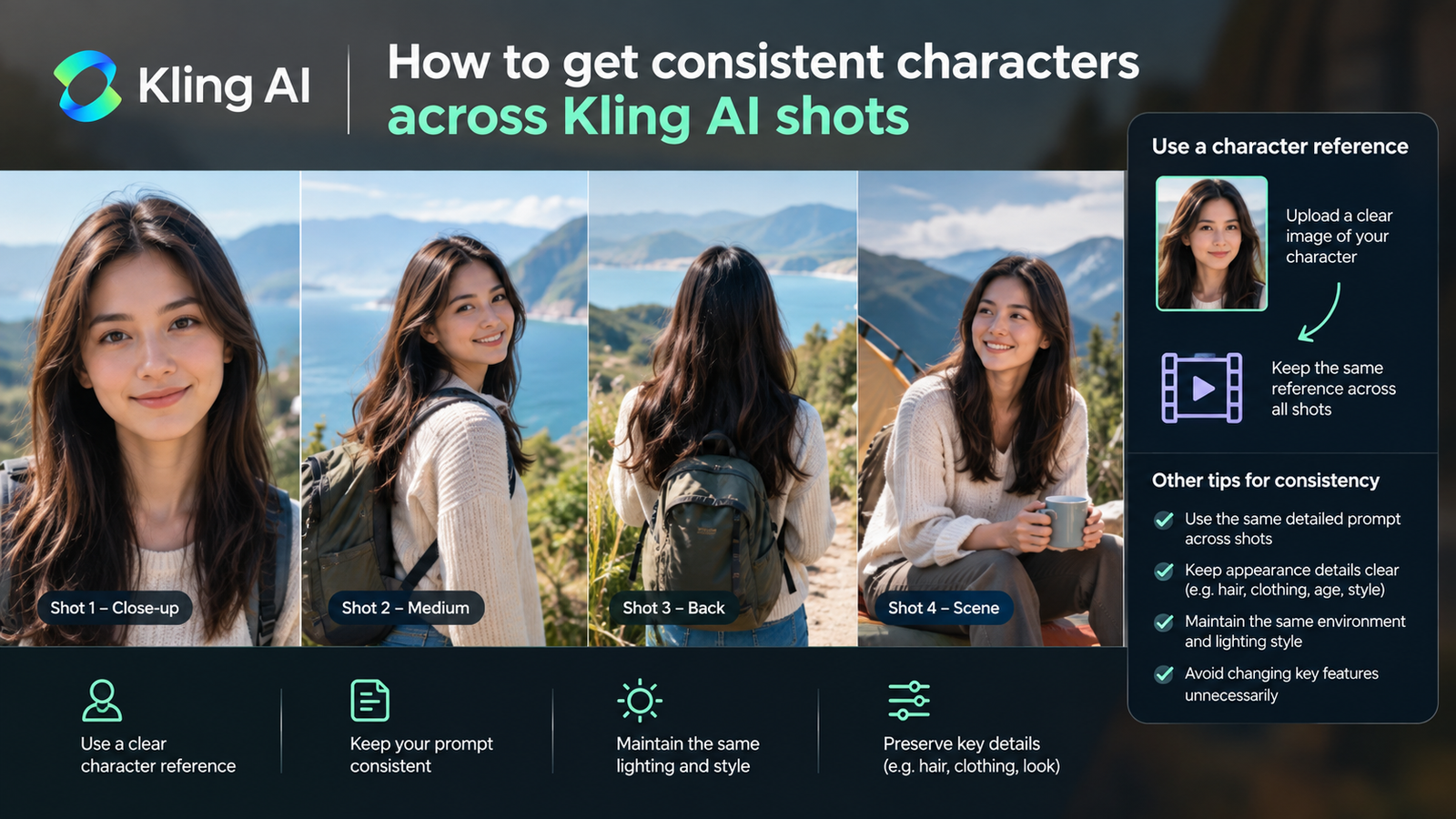
You will have a repeatable method to maintain consistent characters across multiple video shots generated in Kling AI.
What you will end up with
Kling AI functions as a Next-Gen AI Video & Image Generator.
Our read: Keeping a subject looking like the same person across separate video generations requires treating the tool as a sequential pipeline rather than firing off random prompts. Higher tiers for teams and enterprises exist, but individual creators can achieve full continuity on the standard consumer level without upgrading. Focus your attention on locking down the initial visual anchor before moving on to motion prompts. If you rush the setup phase, your subject will mutate into a completely different person by the second shot.
- A defined set of visual reference assets for your character
- Multiple video generations sharing identical subject traits
Before you start
Do not attempt to generate consistent video shots from scratch using text prompts alone. You must secure a reliable visual reference first. Keep your reference images stored in a dedicated local folder so you can upload them rapidly during generation sessions. Organizing your asset library beforehand prevents creative fatigue and ensures you do not accidentally feed the generator mismatched source files halfway through your project storyboard.
- Access to the Kling AI web interface
- A clear, high-resolution source image of your character’s face and clothing
- A text document containing your core subject description and prompt modifiers
Steps
Follow this exact sequence for every new angle or action you need to produce. Skipping a step or altering the core descriptor words between generations is the primary reason character drift occurs in video outputs.
- Upload your primary character image into the image generation interface.
- Generate a set of static reference frames showing the character from front, side, and three-quarter angles.
- Copy the exact wording of your original text prompt, changing only the action or background description.
- Input your locked reference frame and the updated prompt into the video generation module.
- Review the resulting clip for facial structure and clothing accuracy before exporting.
What success looks like
True success means you can cut between two independently generated video clips without the viewer noticing a jarring shift in the actor’s appearance. Minor variations in background physics are normal, but the core identity of the subject must remain stable. When you achieve this, you are ready to assemble a complete narrative sequence rather than a disconnected series of moving images.
- Facial features remain recognizable across different camera movements
- Clothing textures and colors stay identical between cuts
- Lighting adjustments match the new environment without altering the character’s base geometry
Common mistakes
The most frequent trap is assuming the generator remembers your character from a previous session. Every new video generation must pull from the same visual anchor to avoid drift. Resist the urge to rewrite your base prompt for the sake of variety; keep the subject description identical and only modify the environment or action verbs at the end of the text string.
- Changing descriptive adjectives for hair, eyes, or clothing between shots
- Failing to use a source image reference for secondary angles
- Overcomplicating motion prompts while trying to establish character identity
- Using low-resolution or blurry input files for the initial reference frame
Where to go next
Once you have a library of consistent shots, bring them into a timeline to test the narrative flow. Pay attention to pacing and continuity between cuts. If a specific shot breaks the illusion, return to the generator with your saved reference assets and rerun that single clip using the exact process outlined above.
- Import your generated video shots into an external video editor
- Color grade the clips to unify disparate lighting conditions
- Export your final sequence for distribution
How we verified this
Evidence level: Researched from official sources. TNTReview did not test this product directly. Every factual claim above comes from the official sources listed here.
- Kling AI official site, checked 2026-09-30 (1 fact on this page)
Last verified: 2026-09-30