
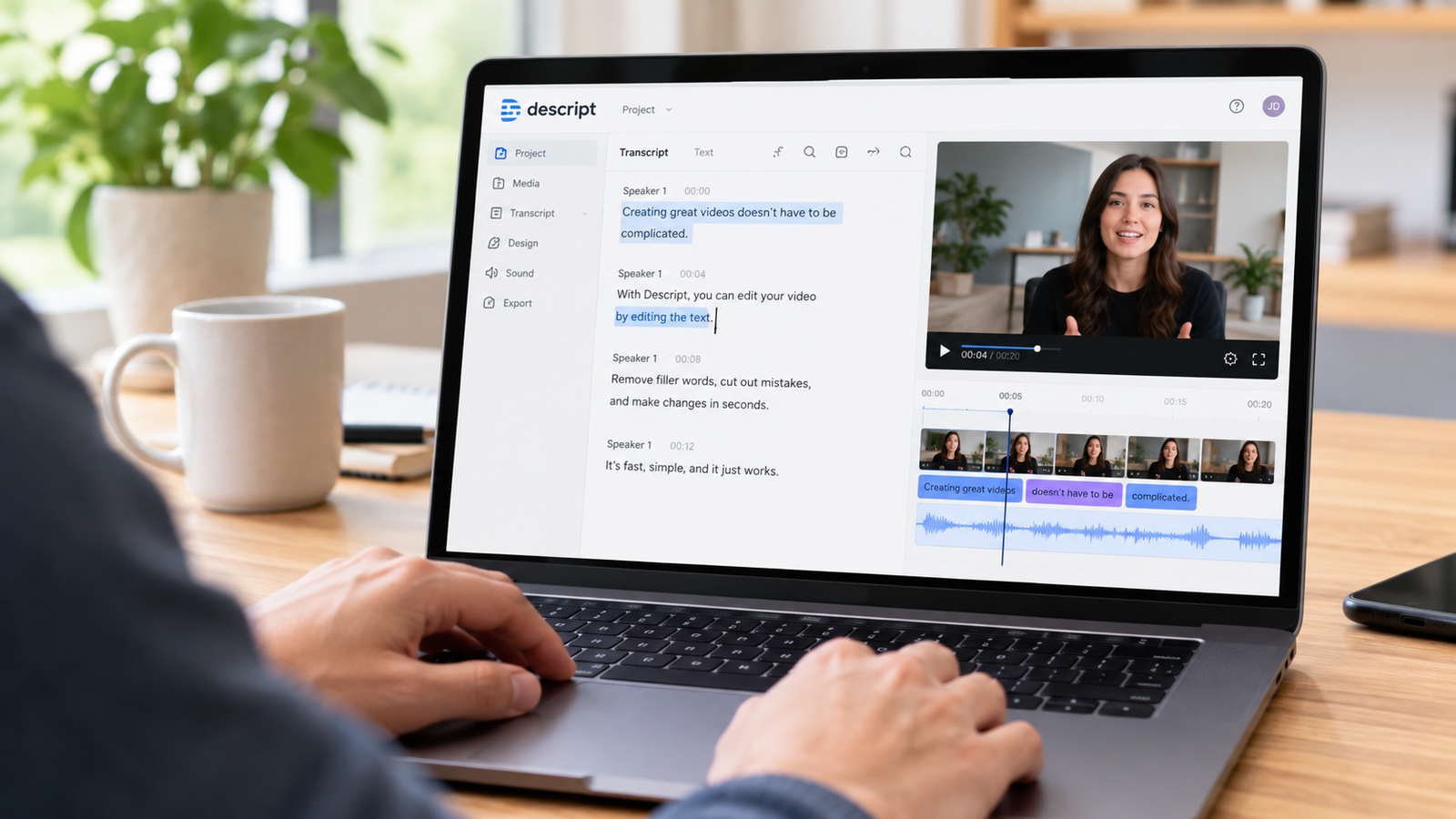
Descript is an AI video and audio editor that lets you edit by editing text, priced from USD $0 for the Free plan up to custom pricing for Enterprise teams.
What it is
Descript is an AI video and audio editor that lets you edit by editing text.
Our read: Traditional timeline editing requires learning complex keyboard shortcuts, razor tools, and tracks. This approach completely flips that workflow by letting you delete a word in a transcript to delete that exact moment from your media file. When you are staring at a massive recording and need to cut filler words, managing a script is far faster than listening to playback at double speed and slicing waveforms manually. You spend less time hunting for audio artifacts and more time refining the final narrative arc.
To get the most out of this workflow, start by importing your raw recording directly into a new project. Let the transcription engine generate your text file, read through the generated transcript to catch any weird proper noun spellings, and then use your normal word processor editing habits to slash out unwanted conversational tangents. If you make a mistake, simply undo your text deletion and the media instantly reappears on your underlying track without any permanent damage to your raw assets.
- Open a new project workspace within the application interface.
- Import your audio or video file to trigger the automatic transcription engine.
- Review the generated text document for accuracy before making structural cuts.
- Highlight unwanted sections of text and press delete to remove them from the media file.
- Functionality centers on an AI Video and Audio Text-based Editor.
Who it suits
If your daily routine involves talking to a camera or a microphone, this tool is built directly for your workflow. Podcasters, interviewers, and educators who rely heavily on spoken word will save hours of manual timeline trimming. Instead of staring at audio spikes, you are reading a document. This makes it straightforward to spot rambling sections, long pauses, and verbal stumbles that ruin the pacing of an otherwise solid recording.
Solo creators who produce weekly talking-head videos will find the text-based workflow speeds up their editing loop significantly. However, if your work requires complex motion graphics, heavy visual effects compositing, or multi-cam color grading across dozens of camera angles, a traditional timeline-first non-linear editor will serve you better. Larger organizations with multiple editors might look at Business or Enterprise tiers, but individual creators should stick strictly to the single-user options to avoid paying for collaboration features they do not need right now.
- Audit your current weekly editing output to see how much time you spend cutting out filler words.
- Check if your content relies primarily on spoken dialogue rather than complex visual effects.
- Choose an individual plan level if you work alone without the need for shared team drives.
- Intended users span multiple tiers including Free, Hobbyist, Creator, Business, and Enterprise plans.
Key capabilities
The core offering features an AI Video & Audio Text-based Editor.
The entire product revolves around text-driven media manipulation. You do not need to hunt for split points or use razor blades on a timeline. Deleting a paragraph of text automatically splices out the corresponding audio and video frames. This bridges the gap between text documents and multimedia files in a way that traditional editing software has avoided for decades.
When evaluating this capability, remember that the accuracy of your edits depends entirely on the underlying transcription. Make sure your source audio is clean with minimal background noise so the transcription engine maps correctly to your spoken words. Clean audio ensures that when you delete a sentence in the text panel, the software does not clip the beginning or end of your spoken phrases awkwardly.
- Record clean dialogue with minimal background interference to improve text accuracy.
- Use the text panel as your primary control surface for cutting content.
- Verify your cuts by playing back the edited transcript to ensure smooth transitions.
- AI Video & Audio Text-based Editor is the primary headline capability.
Where it is strong
The biggest win here is psychological. Staring at an empty timeline with a two-hour recording can induce severe procrastination. Staring at a document where you can just highlight and delete bad takes feels approachable because everyone knows how to edit text. This lowers the barrier to entry for creators who want professional-looking results without spending weeks mastering professional post-production suites.
Another major advantage is how naturally collaboration fits into a text-based workflow. Reviewers who do not know anything about video editing can read a transcript, add comments, and suggest text cuts just as they would in a shared Google Doc. This removes the friction of communicating timecode notes back and forth between a creator and a producer.
- Draft your script or outline before recording to minimize major structural issues.
- Share transcripts with collaborators who can leave comments on the text rather than timestamped notes.
- Eliminates the steep learning curve associated with traditional timeline editing for dialogue-heavy content.
- Speeds up rough cuts by turning media review into a standard proofreading task.
- Simplifies the removal of filler words and unwanted pauses through simple text deletion.
Where it falls short
No tool is a silver bullet, and this approach struggles when source audio is compromised. If your recording has heavy room echo, crosstalk, or low microphone gain, the transcription engine will make mistakes. Fixing those transcription errors manually before you can even start editing defeats the purpose of the software.
Do not expect this application to replace a high-end visual effects suite. If you are building complex sci-fi composites, particle simulations, or intricate color-grading pipelines, you will hit a wall quickly. Keep your expectations grounded in spoken-word content, interviews, and talking-head videos, and you will avoid frustration.
- Test your microphone setup in a quiet environment before committing to a large recording session.
- Avoid using this platform as your primary tool for heavy visual effects or color grading.
- Relies heavily on clear speech; heavy accents or poor audio quality can lead to transcription errors.
- Not optimized for heavy visual effects work or complex motion graphics compositing.
- Free tier restrictions limit usage to short projects and low-resolution outputs.
Verified pricing
Current pricing options retrieved on 2026-09-22 include Free at USD $0; Hobbyist at USD $16/mo (billed differently per Descript’s own annual note, with standard rates listed at USD $24/mo); Creator at USD $24/mo; Business at USD $50/mo; and custom Enterprise options.
Free tier limits include 60 minutes (1 hour) of media per month, 100 one-time AI credits, 5GB storage, 720p export with a watermark, and 2 recording hours.
The Free plan is essentially a sandbox to test whether editing text translates well to your personal workflow. With a strict limit of 60 minutes of media per month and a 720p export that includes a watermark, you will outgrow it almost immediately if you produce content regularly. Use it to run a single test project and verify that the interface matches your expectations.
For serious individual creators, the Creator plan at USD $24/mo makes sense once you exceed the free limits. If you only need a modest upgrade from the free tier and are willing to commit based on the annual billing note, the Hobbyist plan at USD $16/mo offers a middle ground. Skip the Business and Enterprise tiers unless you manage a dedicated production team that requires centralized administration.
- Sign up for the Free plan to test the transcription and text editing interface on a short sample file.
- Calculate your monthly media output to determine if you will exceed the free 60-minute limit.
- Select the Hobbyist or Creator plan once your testing confirms the workflow fits your needs.
- Free: USD $0 with 60 minutes of media per month, 100 one-time AI credits, 5GB storage, 720p export with watermark, 2 recording hours.
- Hobbyist: USD $16/mo (USD $24/mo billed differently per Descript’s own annual note).
- Creator: USD $24/mo.
- Business: USD $50/mo.
- Enterprise: custom pricing.
Alternatives worth considering
If you decide that text-based editing is not for you, traditional non-linear editors offer timeline-based control where you manipulate waveforms and video clips directly. These platforms require a steeper learning curve but give you absolute granular control over every single frame and audio channel without relying on automated transcription accuracy.
For users who only need to clean up muddy audio tracks without touching video files, dedicated audio repair applications provide targeted restoration tools. Compare those options against text-based editing by looking at whether your primary bottleneck is cutting out bad content or fixing poor acoustic environments.
- Evaluate traditional timeline editors if you require frame-accurate visual compositing.
- Look at audio repair tools if your primary problem is room noise rather than content pacing.
- Traditional timeline editors like Adobe Premiere Pro or DaVinci Resolve.
- Dedicated audio-first repair tools for fixing damaged recordings.
Verdict
If your content is driven by talking heads, interviews, or voiceovers, buying this product will immediately cut your editing time in half. Start with the Free tier to process one short recording, test the text deletion workflow, and see how clean your transcript looks. If the workflow clicks, upgrade to the Creator or Hobbyist plan depending on your budget.
Avoid it if your projects rely on heavy visual effects or if your source audio is too compromised for accurate transcription. Do not buy higher tiers like Business or Enterprise unless you are coordinating a multi-person production team with shared administrative needs. For the individual creator who hates timeline trimming, this is a worthwhile investment.
- Test your first project on the Free plan today.
- Upgrade to a paid individual plan once you hit your monthly limits.
- Commit to a text-first editing routine for all future talking-head content.
- Recommended for solo creators, podcasters, and educators who produce dialogue-heavy content.
- Not recommended for complex visual effects artists or teams requiring heavy multi-cam color grading.
Prices are as published by the vendor in US dollars. What you pay locally may differ once tax and currency conversion are applied.
How we verified this
Evidence level: Researched from official sources. TNTReview did not test this product directly. Every factual claim above comes from the official sources listed here.
- Descript official site, checked 2026-09-12 (2 facts on this page)
- Descript pricing page, checked 2026-09-22 (3 facts on this page)
Last verified: 2026-09-25